Best Animal Weather Apps for iPhone in 2026, Ranked
Nobody opens a weather app because they love meteorology. They open it because they need to know whether to bring a jacket, and then they close it and forget it exists. An animal weather app fixes the forgetting part. A golden retriever in sunglasses telling you it is 88 degrees is information you actually retain.
Key takeaways
- All six apps here are free to download on iPhone, and every one of them puts a real forecast behind the animal.
- You do not need a pet. Five of the six use their own animals, and WeatherPets now asks at setup whether you would rather adopt one of its pet avatars.
- The thing that separates them is whose animal it is: a stock photo library, a 3D character, an illustrated fox, or your own dog.
- Check the forecast provider before you install. WeatherPets runs on Apple WeatherKit, WeatherPaws lists Open-Meteo, and the older apps vary.
- The widget is the real test. If the animal never reaches your Home Screen, you will stop seeing it by week two.
Fair warning before we start: we make WeatherPets, and it is number one on this list. So instead of asking you to trust our taste, every entry below says exactly what the app does, where its animals come from, and what its App Store rating looked like when we checked in August 2026. Install two and delete one. That is the honest way to do this.
What separates a good animal weather app from a cute wallpaper
After a week of use, the novelty wears off and only four things still matter.
- Whose animal is it? A rotating library of stock dogs is charming for a few days. An animal you chose, named, and recognize is charming for months. This is the single biggest difference between these apps.
- Does it actually react to today's weather? The good ones swap the scene when the sky changes: a raincoat at 2pm, a snowbank in January, a night sky after sunset. The weak ones show the same sunny puppy in a thunderstorm.
- Where does the forecast come from? None of these apps forecast anything themselves. They dress up someone else's data. Apple WeatherKit, the source behind the built-in Apple Weather app, is the strongest on iPhone. Open-Meteo is a solid open alternative. If an app names neither, be a little suspicious.
- Does the animal reach your Home Screen? You will open a weather app maybe twice a week. You will glance at your Home Screen a hundred times a day. An animal weather app without a good widget is a novelty you will forget to open.
The six apps at a glance
| App | The animal | Need your own pet? | Widgets listed | App Store rating |
|---|---|---|---|---|
| WeatherPets | Your own dog or cat, or a pet avatar you adopt | No, optional | Home Screen, Lock Screen, Live Activity | 5.0 from 9 ratings (new app) |
| WeatherPaws | 13 hyper real 3D animals | No | Not listed | 5.0 from 2 ratings (new app) |
| Weather Pet | Rotating photos of dogs, cats, or both | No | Not listed | 4.9 from 168 ratings |
| Cats & Dogs Weather | One virtual pet you dress for the weather | No | Not listed | 4.7 from 420 ratings |
| Weather Kitty / Weather Puppy | Thousands of stock cat and dog photos by theme | No, own dog optional | Not listed | 4.8 from 65,637 / 53,764 |
| Fauna Weather | Illustrated wildlife that changes with temperature | No | Home and Lock Screen | 4.8 from 6 ratings |
Ratings pulled from the US App Store on August 19, 2026, and the widget column reflects what each App Store listing actually states, which is not always the whole story. Note the review counts too, not just the stars: a 5.0 from nine people and a 4.8 from sixty thousand are not the same claim, and ours is the small one.
1. WeatherPets, best if you want the animal to be yours
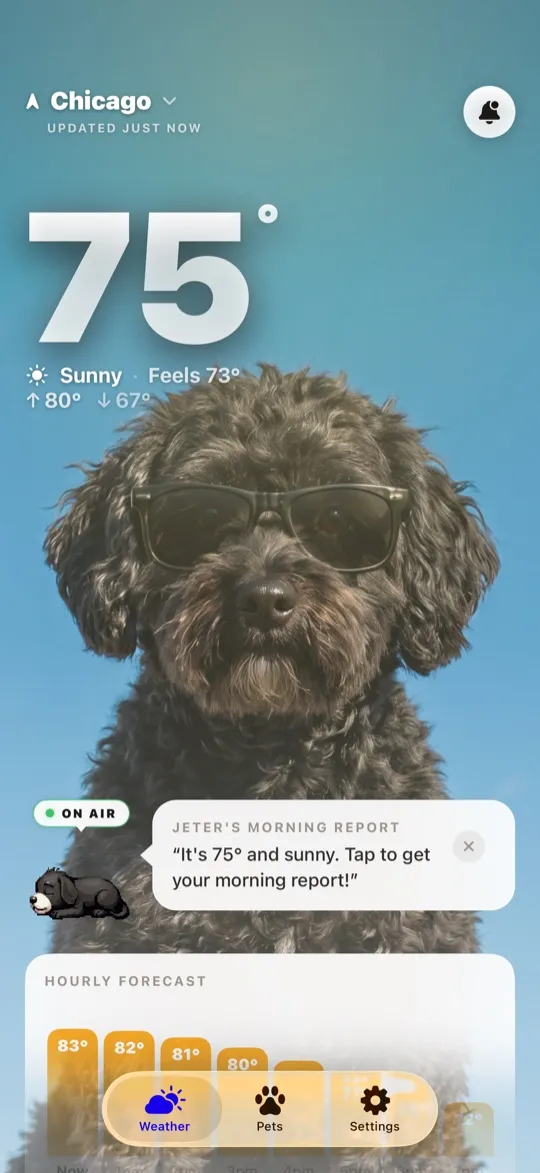
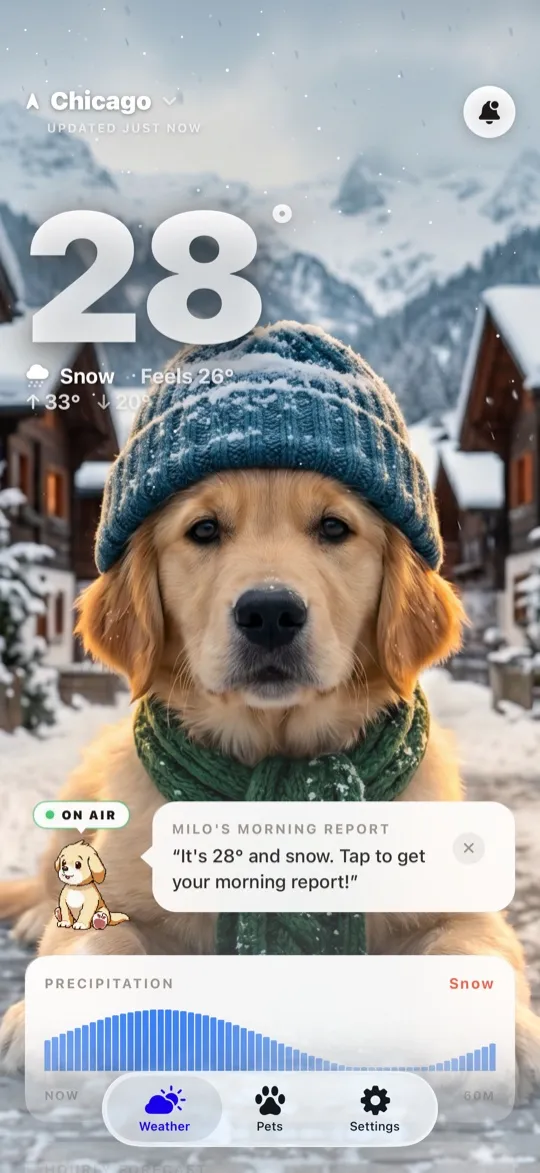
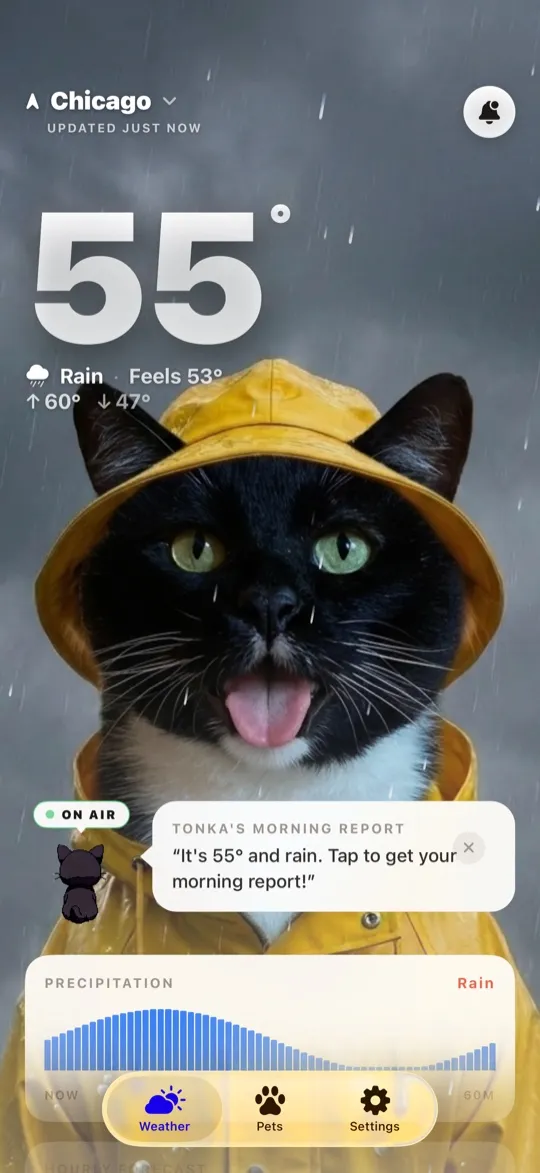
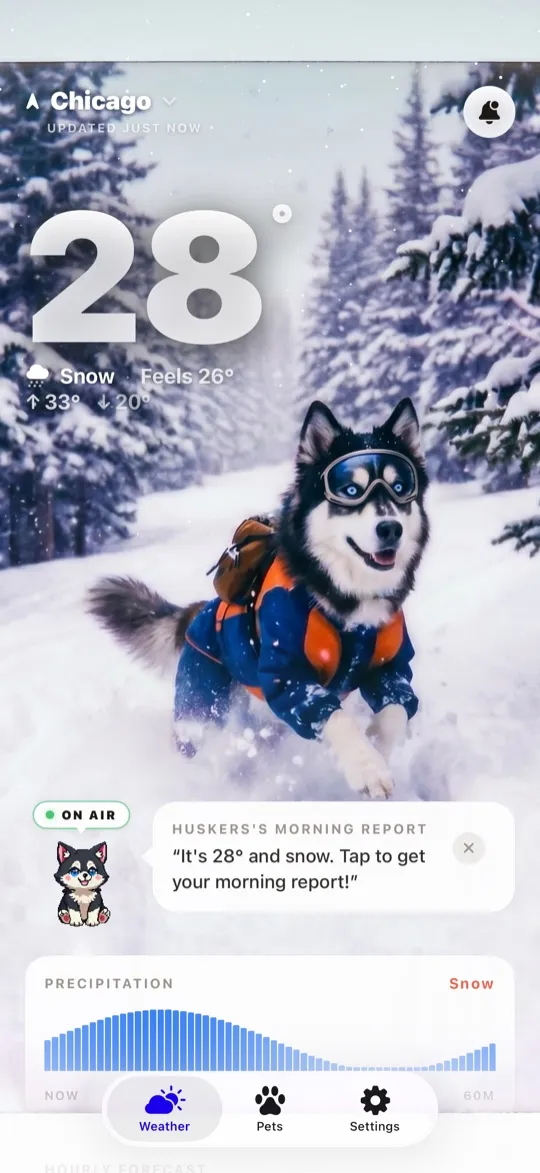
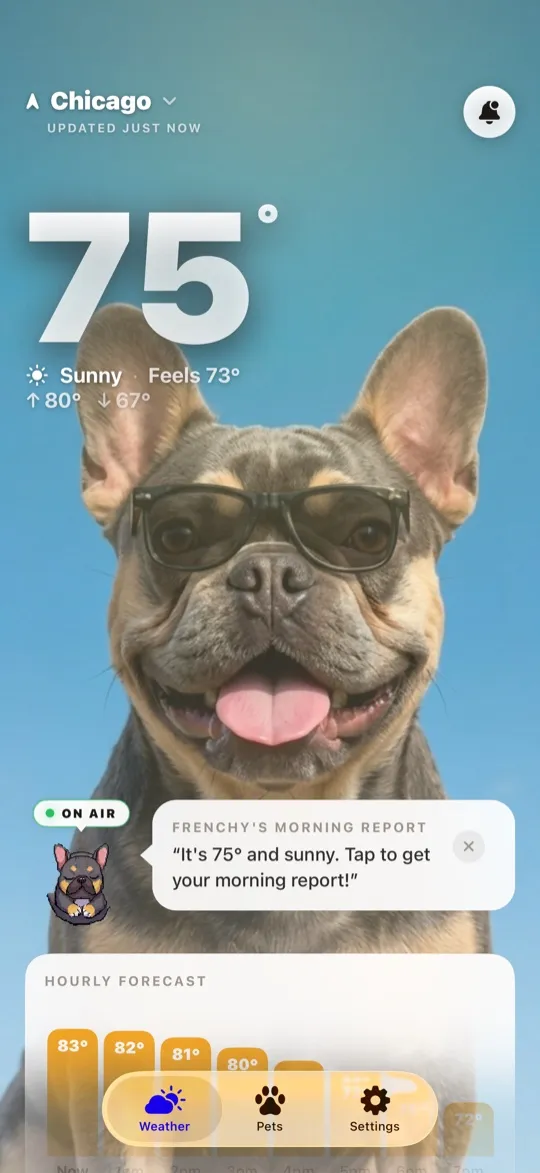
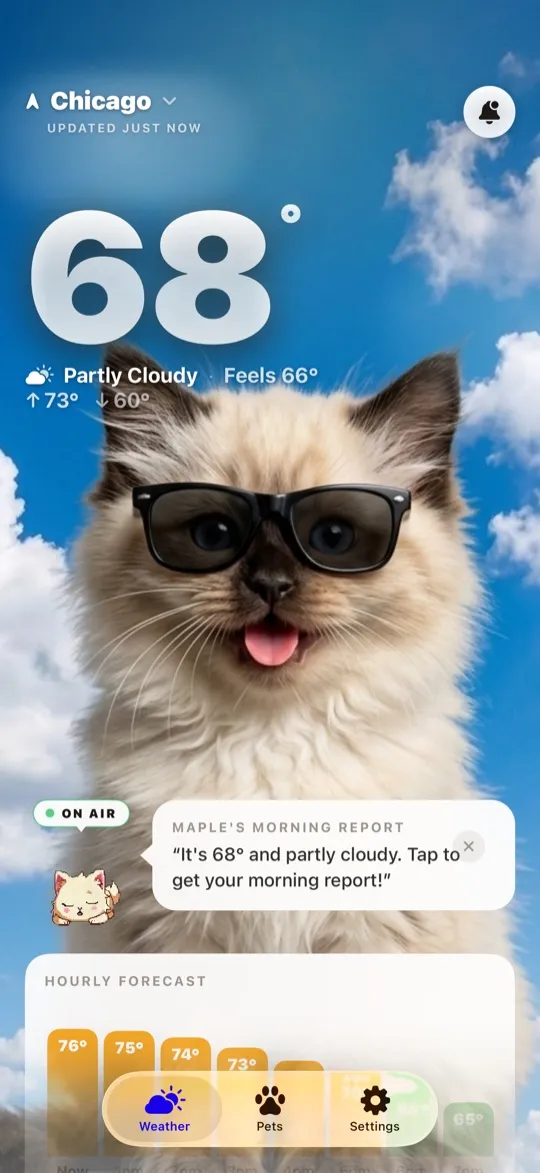
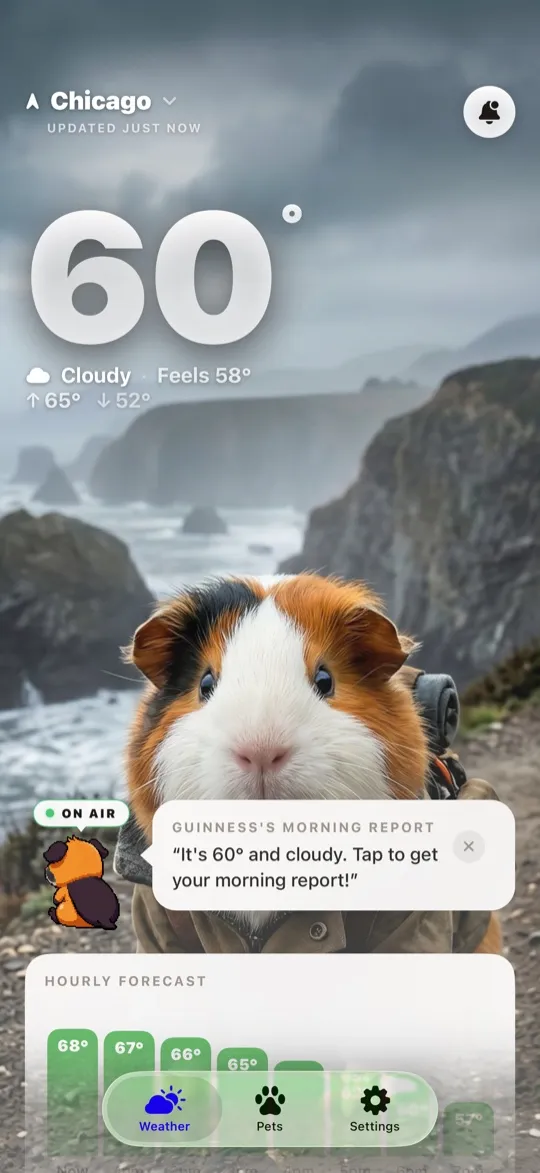
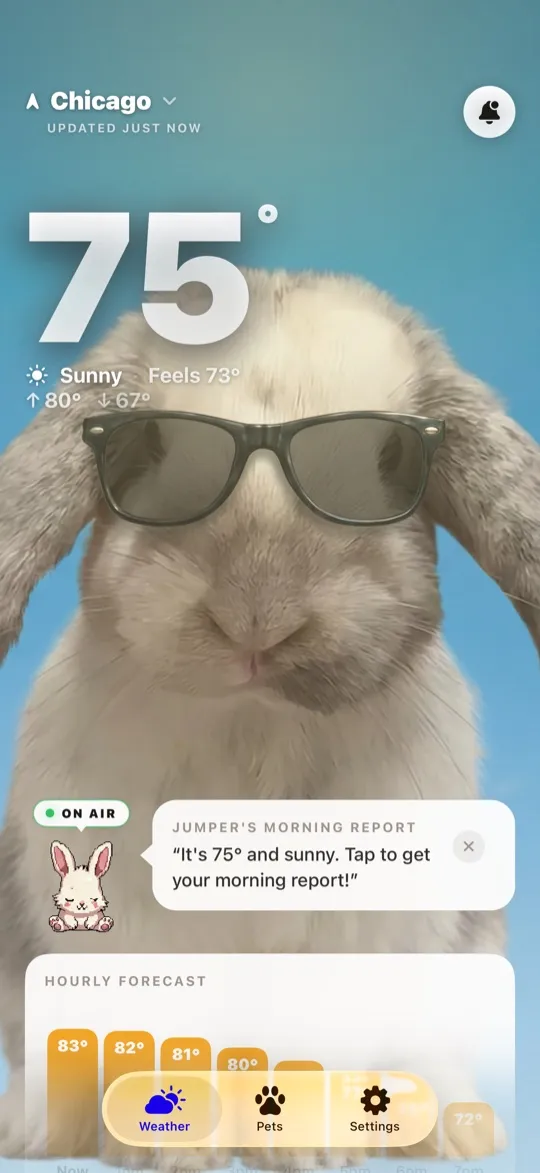
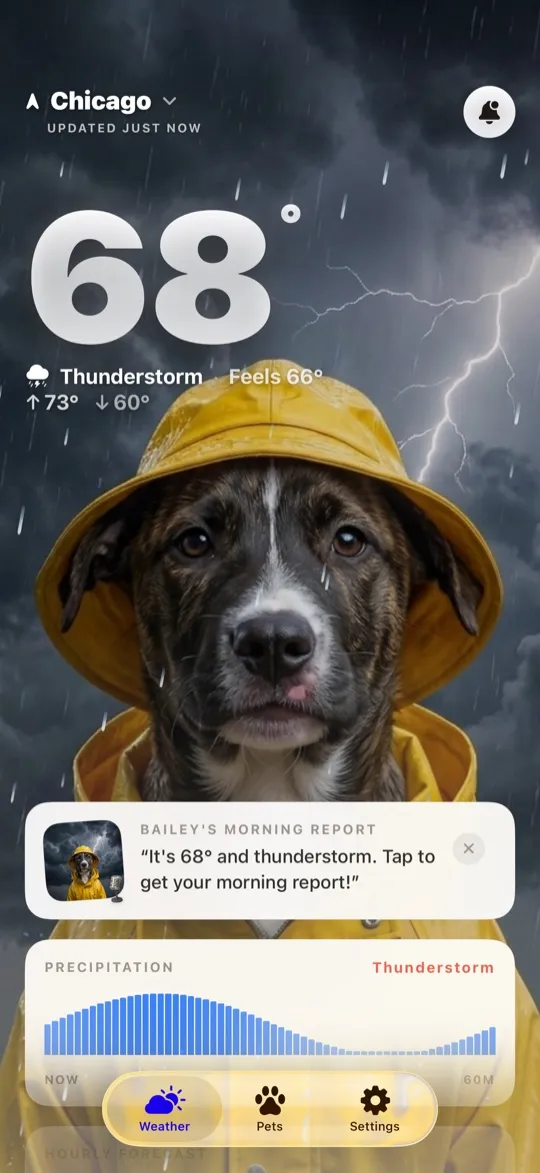
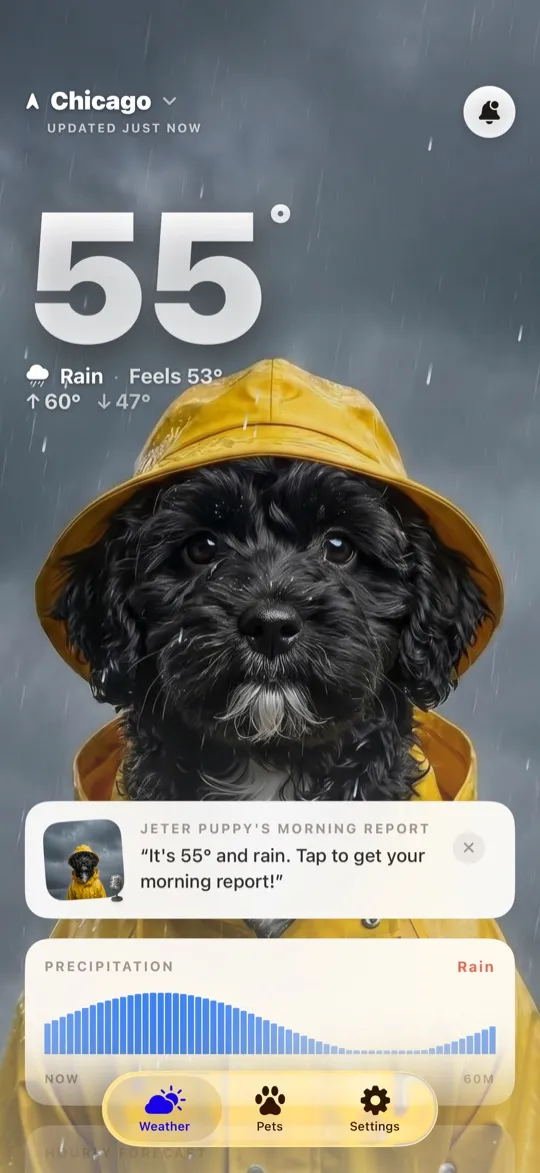
Every other app on this list hands you a stranger's animal. WeatherPets starts with yours. You add a few photos of your dog or cat, and the app generates them into today's actual conditions: bundled up when it snows, squinting in an August heat wave, lit by a streetlight after dark. When the weather changes, the scene changes with it.
Underneath the cute part, it is a full weather app. The forecast comes from Apple WeatherKit, so it is the same data your iPhone already trusts: hourly and ten day outlooks, wind, humidity, UV, air quality and severe weather alerts. The feature we are proudest of is the Pet Safety Score, a single 0 to 100 read on whether it is safe for your specific animal outside right now, built from temperature, humidity, air quality, pollen, UV and wind, with every point in the number explained instead of asserted.
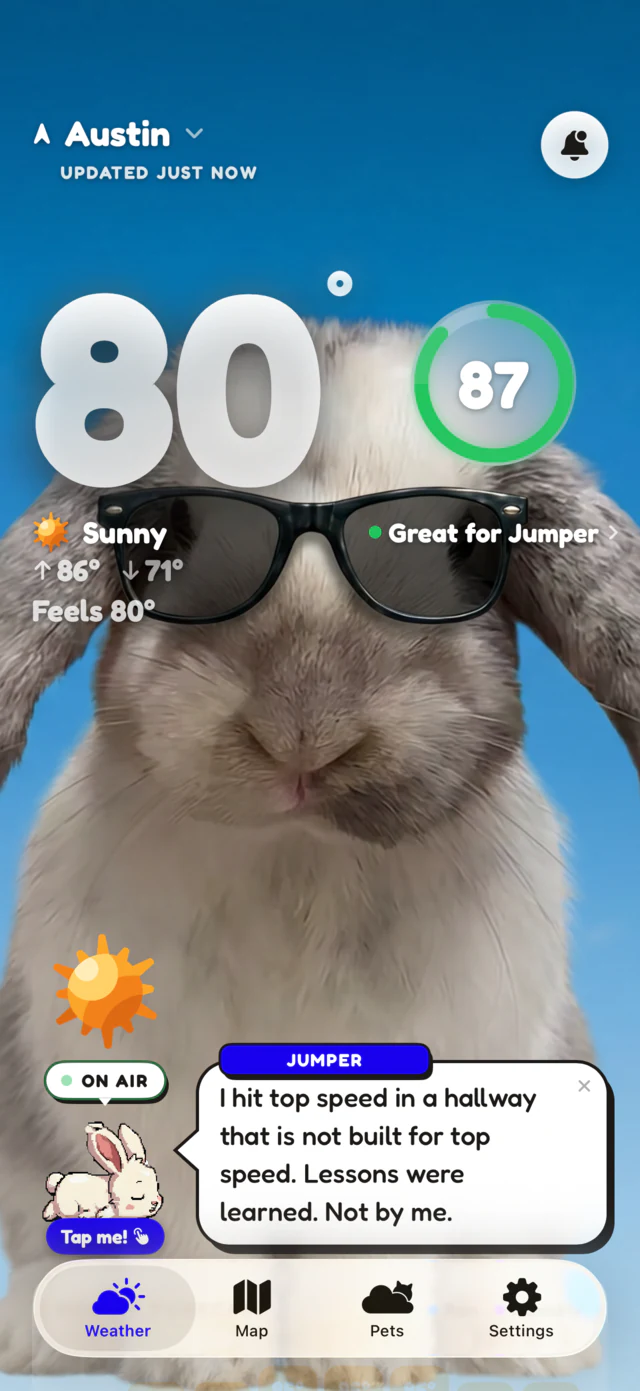
What is free: the full forecast, severe weather alerts, the Pet Safety Score, and Home and Lock Screen widgets. What is not: the AI generated weather scenes, pet avatars and style packs, live radar, smart walk windows, and the morning and evening reports, which sit behind a subscription at $5.99 a month or $34.99 a year.
The honest downside: we are the newest app here, with nine App Store ratings to show for it, and the generated scenes need a subscription. If you want thousands of dog photos for free today, scroll down to number five.
If the appeal of an animal weather app is that the animal is yours, this is the only one that does it, and the forecast underneath is Apple's own data. Meet your WeatherPet on the App Store.
2. WeatherPaws, best hyper real 3D animals
WeatherPaws: Pet Forecast is the most visually ambitious app in this group. It ships 13 3D animals, from an orange tabby and a golden retriever to a Bengal cat, a giant panda and a penguin, and drops each one into 14 cinematic weather scenarios with day and night cycles. Watch a husky roll in fresh snow while it is snowing outside. The forecast comes from Open-Meteo.
The pricing is unusual in a good way: the exotic premium animals unlock with lifetime access rather than a monthly subscription, so it is one payment and done. The interface leans hard into glassmorphism and dark mode, and on a modern iPhone it looks genuinely expensive.
Pick it if: you want the animals to look expensive and you have no interest in your own pet being involved. Skip it if: you want widgets, since its App Store listing does not mention any.
3. Weather Pet, best free scroll of dogs and cats
Weather Pet: Local Forecast does one thing cleanly: your forecast, presented by dogs, cats, or a mix of both, with the pet reacting to conditions. A kitten in a scarf when it is snowing, a puppy in the sunshine when it is clear. You can add cities worldwide and get hourly and seven day forecasts, humidity, wind and sunrise times.
With 168 ratings at 4.9 it is the best reviewed of the newer apps here, and there is nothing to set up. Open it, allow location, enjoy the dogs.
Pick it if: you want cute with zero commitment. Skip it if: you want the same animal every day rather than a rotating cast.
4. Cats & Dogs Weather, best if you want a pet to take care of
A former App Store App of the Day, Cats & Dogs Weather is less a weather app with animals than a virtual pet with a forecast attached. You pick a pup or a kitty, then dress it for the real conditions in your neighborhood, and the app rewards you for getting the outfit right. Pirate hat in the rain, that sort of thing.
It has been around long enough to earn 420 ratings at 4.7, and the tone is genuinely funny. It is also the least practical app here, which is entirely the point.
Pick it if: you want to play with your weather app. Skip it if: you want a glanceable answer in two seconds.
5. Weather Kitty and Weather Puppy, the veterans with the biggest libraries
These are the same app in two coats, and between them they hold more ratings than everything else on this list combined: Weather Kitty at 4.8 from over 65,000 and Weather Puppy at 4.8 from over 53,000. Weather Puppy alone lists more than 3,500 dogs across 34 themes, sorted by breed, season and holiday, so if you specifically want corgis every day, you can have corgis every day. Both include animated radar, forecasts for multiple locations, hourly detail for the next seven days, and a Puppy Prime style subscription starting around $1.99 a month that unlocks every theme, removes ads, and lets you build a theme from photos of your own dog.
The tradeoff is that these are photo libraries, not scenes. The dog is a beautiful stock photo, not your dog, and not an animal responding to what is happening outside your window right now. We wrote a longer head to head in WeatherPets vs Weather Puppy if you want the detail.
Pick it if: you want the biggest free animal library and a proven, long lived app. Skip it if: you want continuity, one animal you know by name.
6. Fauna Weather, best for wildlife instead of pets
Fauna Weather is the outlier and the prettiest. Instead of pets it gives you illustrated wildlife, and the animal you see is tied to the temperature range: colorful birds, red deer, foxes and bears, with a 72 hour detailed forecast, a 10 day outlook, real time air quality, and Home and Lock Screen widgets. It is a genuinely lovely piece of illustration work.
The catch: its last App Store update was in September 2022. It still runs, but an app that has not shipped in four years is a bet, especially each September when a new version of iOS lands.
No pet? You can still have one
This is the question we get most, and it used to have an awkward answer. WeatherPets was built around your own dog or cat, which is wonderful if you have one and a dead end if you do not. Plenty of people who want an animal in their weather app are renters with a no-pets lease, people grieving a pet they are not ready to replace, or people who simply like otters.
So setup now starts with a plain question: do you have a pet at home, or would you like one of our pet avatars? Choose the avatar route and you get a carousel of ready made animals to scroll through, filtered by dog, cat or other, each one arriving with a full set of weather scenes. You pick one, give it a name, choose its personality, and it comes out of the box as yours. From then on it fronts your forecast exactly the way a real pet would: on the Home Screen, in the widget, in the morning and evening reports, and at the anchor desk on the WeatherPets News Team, where the cast runs to an arctic fox, a red panda, an otter and a hedgehog alongside the usual dogs and cats.
Your own photos still get used, just differently: no-pet setup asks for a few pictures you like for the app background, so the app still looks like your life. And to be straight about it, adopting a pet avatar is part of the WeatherPets subscription. The free tier still gives you the full forecast, severe weather alerts, the Pet Safety Score and widgets.

How to pick in about 30 seconds
- You have a dog or cat and want to see them in the forecast: WeatherPets. It is the only one that generates your actual animal.
- You have no pet and want one to keep: WeatherPets with a pet avatar, or Cats & Dogs Weather if you want to play with it.
- You want maximum free cuteness right now: Weather Kitty or Weather Puppy.
- You want the best looking 3D animals: WeatherPaws.
- You want art instead of pets: Fauna Weather, with the update caveat above.
- You mostly care about walking a dog safely: WeatherPets, for the Pet Safety Score and walk windows. Our best dog weather app comparison goes deeper.
One last practical note, whichever you install. A cute forecast is still a forecast, and the reason to look at it is often the animal in the room. Heat, humidity and air quality change what is safe for a real pet fast, and the AVMA's warm weather safety guidance is the clearest short read on why. If you want the number that turns all of that into one answer, that is what we built.
Your daily forecast, delivered by your own pet.

Frequently asked questions
Is there a weather app with animals if I do not own a pet?
Yes, and most of them are built that way. Weather Pet, Cats & Dogs Weather, Weather Kitty, Weather Puppy, WeatherPaws and Fauna Weather all use their own animals, so no pet of your own is needed. WeatherPets started as an app for your own dog or cat, and now asks during setup whether you have a pet at home or would like one of its pet avatars instead, so you can pick an animal you love and name it yourself.
Do animal weather apps give accurate forecasts?
The good ones do, because they do not generate weather themselves. They pull it from a forecast provider and put an animal in front of it. WeatherPets uses Apple WeatherKit, the same source behind the built-in Apple Weather app. WeatherPaws lists Open-Meteo. If accuracy matters to you, check which provider an app names on its App Store page before you install it.
Which animal weather app is free?
All six apps in this ranking are free to download. Each one sells a subscription or an in-app purchase for the extras: more animals, more themes, generated scenes, radar, or ad removal. The practical difference is what the free tier holds back. WeatherPets keeps the full forecast, severe weather alerts, the Pet Safety Score and home screen widgets free, and charges for AI scenes, pet avatars, radar and reports.
Can I put my own pet in a weather app?
In two of them. WeatherPets is built around your own animal: you add a few photos and it generates your actual dog or cat in today's conditions. Weather Puppy has a premium add-on that lets you create a theme from photos of your dog. The rest use their own art or photo libraries.
Do these apps have home screen widgets?
It varies more than you would expect. WeatherPets and Fauna Weather both list Home Screen and Lock Screen widgets, and WeatherPets adds a Live Activity that keeps current conditions on your Lock Screen and in the Dynamic Island. The other listings here do not mention widgets at all, so check before you commit. A widget is the honest test of an animal weather app, because it is where you will actually see the animal every day.
